What is a Teleprompter
Presentation Skills, Teleprompter, Professional Communication
What Is a Teleprompter? A Practical Guide for Modern Professionals
Whether you are presenting on camera, delivering a keynote, or recording a training video, a teleprompter can transform how confident and clear you appear. This guide explains what a teleprompter is, how teleprompters work, and how to start using a teleprompter effectively, even if you are a complete beginner.
Present With Confidence
Use teleprompters to speak clearly, naturally, and on script
1. What Is a Teleprompter?
At its simplest, a teleprompter is a device that displays a prepared script so a speaker can read it while still looking directly at the audience or the camera. You might also see it called an “autocue,” especially in broadcast environments. When you ask, “What is a teleprompter?” the most accurate answer is this: it is a discreet reading aid designed to make scripted speech sound natural and unscripted to everyone watching or listening.
Teleprompters are widely used in television newsrooms, political speeches, corporate announcements, webinars, and online courses. Instead of memorizing every word or constantly glancing down at notes, the presenter sees their script scrolling in front of the camera lens at a comfortable pace. The audience sees a confident, composed professional who maintains eye contact and speaks smoothly from start to finish.
Today, teleprompters are no longer reserved for large TV studios. Affordable hardware and teleprompter apps have made them accessible to solo creators, trainers, executives, and anyone who needs to deliver clear, consistent messages on camera. Whether you are recording a LinkedIn video, hosting a webinar, or leading a virtual town hall, a teleprompter can support you in sounding polished and professional every time.
2. How Teleprompters Work: The Technology Behind the Glass
Understanding how teleprompters work helps remove the mystery and makes it easier to use them confidently. While designs vary, most professional teleprompters use a clever combination of reflective glass, a display, and specialized software to present your script in exactly the right place for your eyes and the camera lens.
The beam splitter glass
The heart of a traditional teleprompter is a piece of specially coated glass called a beam splitter. This glass sits in front of the camera lens at about a 45-degree angle. The presenter sees text reflected on the glass, while the camera looks straight through it and records a clear, unobstructed image of the speaker. Because the text is reflected, the display beneath the glass must show a mirror image of the script so it appears correctly to the presenter.
The display and software
Beneath the glass, a screen (often a tablet, monitor, or smartphone) displays the script. Teleprompter software controls the scrolling speed, font size, line spacing, and mirroring. Modern teleprompter apps also allow you to:
Start and stop the scroll with a remote control, foot pedal, or keyboard
Adjust speed in real time to match your natural speaking pace
Highlight or color-code key sections and cues
Import scripts from documents, email, or cloud storage
Camera-mounted vs. on-stage teleprompters
For on-camera work, the most common setup is a camera-mounted teleprompter that attaches directly to your camera or tripod. This keeps your eyes aligned with the lens, which is essential for recorded video, live streams, and virtual presentations. For large stage events, presenters may use “presidential” teleprompters—transparent glass panels placed on stands in front of the stage, often on both sides, so speakers can glance left and right while appearing to address the audience naturally.
In both cases, the underlying principle is the same: the teleprompter places your words as close as possible to where your audience expects your eyes to be. That is what makes them so powerful and why using a teleprompter can dramatically improve your on-camera presence with relatively little practice.
3. Teleprompter Benefits for Professionals
The core teleprompter benefits go far beyond simply reading a script. For busy professionals, leaders, and subject-matter experts, a teleprompter is a strategic tool that saves time, reduces stress, and protects your message from being diluted or misquoted. Here are the advantages that matter most in a professional context.
1. Consistent, precise messaging
When you are announcing a new strategy, reporting financial results, or delivering a sensitive statement, every word counts. A teleprompter ensures you say exactly what was approved, in the order it was intended. This reduces the risk of off-the-cuff remarks, missed disclaimers, or confusing explanations that might require follow-up clarification or damage control later on.
2. Reduced anxiety and smoother delivery
Even experienced professionals feel nervous when a camera starts recording or hundreds of people are watching. One of the most underrated teleprompter benefits is psychological: knowing your words are right in front of you dramatically reduces performance anxiety. Instead of worrying about “What comes next?” you can focus on how you say it—your tone, pace, and body language.
3. Faster production and fewer retakes
For teams producing training videos, product demos, or marketing content, time in front of the camera is expensive. Teleprompters help presenters get through long scripts with fewer mistakes, which means fewer retakes and shorter recording sessions. Over multiple videos or recurring broadcasts, the time savings can be significant, especially when senior leaders are involved and schedules are tight.
4. Stronger eye contact and connection
Eye contact is one of the most powerful nonverbal signals of confidence and credibility. Without a teleprompter, presenters often look down at notes, glance away at slides, or stare off into the distance while trying to remember their lines. With a teleprompter, your eyes stay aligned with the lens, so viewers feel you are speaking directly to them. This is especially important for virtual presentations and recorded messages where the camera is your only connection to the audience.
5. Accessibility and inclusivity
Not everyone processes information the same way. Some professionals may have memory challenges, language barriers, or learning differences that make memorizing scripts or speaking off the cuff difficult. A teleprompter provides structured, visual support, helping more people participate confidently in high-visibility communication roles. In this sense, teleprompters are not just productivity tools; they are enablers of more inclusive leadership and communication.
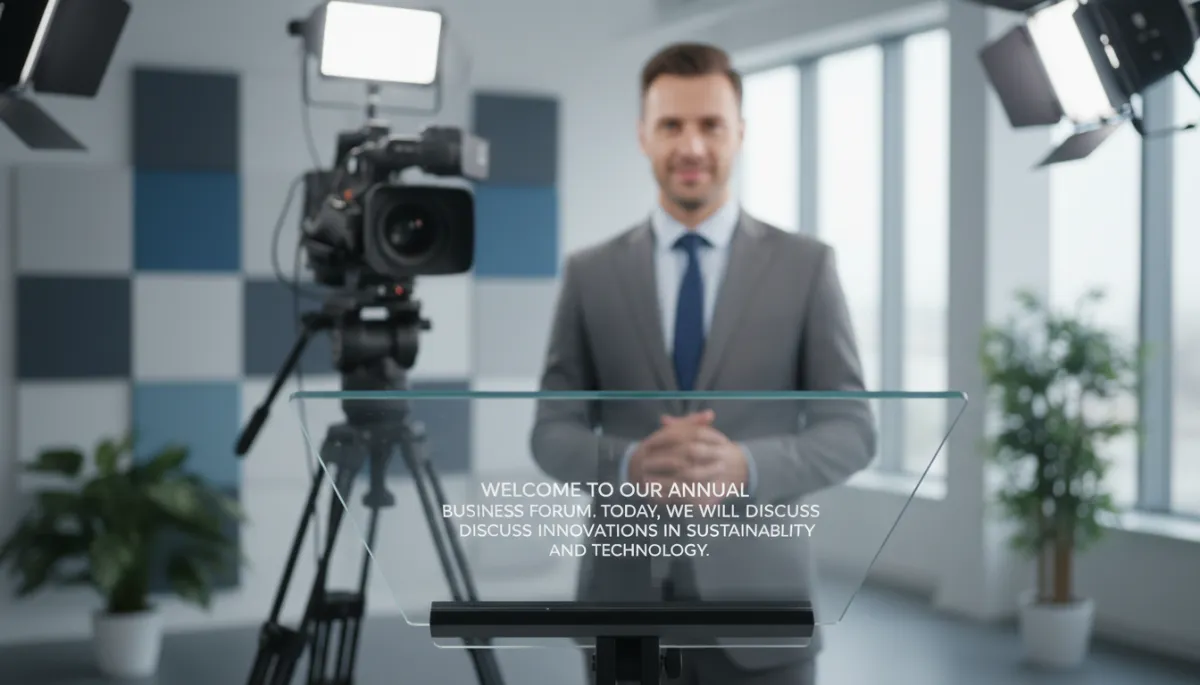
Clear, readable scripts let professionals focus on delivery instead of memorization.
4. Teleprompter for Beginners: Getting Comfortable with the Basics
If you have never used a teleprompter before, it can feel intimidating. Many first-time users worry they will look robotic or obviously “reading.” The good news is that a teleprompter for beginners does not have to be complicated. With a few simple habits and a bit of practice, most professionals adapt quickly and start to enjoy the support a teleprompter provides.
Start with natural, conversational scripts
The first rule of teleprompter for beginners is this: write the way you speak. If your script is packed with long sentences, jargon, and formal phrases you would never say out loud, you will struggle to sound natural, no matter how good your teleprompter skills are. Read your script aloud before loading it into the teleprompter. Simplify complex sentences, break ideas into shorter lines, and remove anything that feels stiff or unnatural in conversation.
Use formatting and cues to guide your delivery
Most teleprompter software allows basic formatting like line breaks, capitalization, and sometimes color. Use these tools to build in subtle cues for yourself: pause marks, emphasis, or reminders to smile or look away briefly. For example, you might add a blank line where you want to pause, or write a short cue in brackets such as “[pause]” or “[gesture to slide]”. These small prompts can make your performance feel more dynamic and less like you are reading straight through.
Practice with short segments first
Instead of jumping into a 20-minute scripted talk, begin with short segments—perhaps 30 to 60 seconds. Record yourself reading from the teleprompter, then watch the playback. Notice where your eyes move, where you rush, and where you sound most natural. Adjust the script and scrolling speed, then try again. Short, focused practice sessions build confidence and muscle memory much faster than struggling through a long script from the start.
💡 Pro Tip: When you are new to using a teleprompter, slow the scroll slightly below your natural reading speed. It is easier to add energy to a calm delivery than to fix rushed, breathless speech.
5. Using a Teleprompter: Practical Techniques for Professional Results
Once you understand what a teleprompter is and how it works, the next step is mastering the craft of using a teleprompter so you look and sound confident, not scripted. The following techniques apply whether you are recording a corporate message, hosting a webinar, or filming educational content for your organization.
Match scrolling speed to your breathing and emphasis
The biggest giveaway that someone is reading from a teleprompter is when the text scrolls too quickly and the speaker chases it. Instead, set the speed so you can comfortably read a line, breathe, and add natural emphasis without feeling rushed. If possible, assign someone to control the scroll manually while listening to your voice, or use a remote yourself to nudge the script forward as you speak. You are not obligated to read every word exactly as written; it is normal to paraphrase slightly as long as the meaning stays the same.
Keep your eyes relaxed and your head steady
When using a teleprompter, your eyes should move subtly, not your whole head. Keep your gaze centered near the camera lens and let your eyes scan the lines as they appear. If you notice your head bobbing up and down on playback, increase the font size and reduce the number of words per line. This keeps your eye movement smaller and less noticeable to viewers, preserving the illusion of direct eye contact.
Build in moments of spontaneity
A teleprompter is a guide, not a cage. Some of the most engaging presenters use scripted segments for key messages, then step away from the script briefly to share a story, react to the audience, or ad-lib a short comment before returning. You can plan these moments by inserting cues such as “[short story]” or “[personal example]” in your script, then speaking freely for a few seconds. This blend of structure and spontaneity keeps your delivery fresh while preserving the clarity and consistency of your core message.
Prepare your environment as carefully as your script
The best-written script will not help if your environment is distracting. Before you start using a teleprompter, check your lighting, background, camera angle, and audio. Position the teleprompter so the lens is at eye level, avoid bright lights reflecting in the glass, and ensure your microphone captures your voice clearly. A calm, uncluttered setup helps you focus on your message and makes your professional presence more convincing on screen.
6. Choosing the Right Teleprompter Setup for Your Needs
Not every professional needs a full studio rig, but most can benefit from some form of teleprompter support. When deciding which teleprompter solution suits you best, consider how and where you communicate most often.
For solo creators and remote professionals
If you primarily record on a smartphone or a compact camera, a small tablet or phone-based teleprompter that mounts to your existing tripod is often sufficient. Many of these kits are portable and affordable, and they work seamlessly with popular teleprompter apps. This kind of teleprompter for beginners is ideal for consultants, coaches, trainers, and executives who create content from home or a small office.
For corporate studios and frequent broadcasts
If your organization runs a dedicated studio, produces regular broadcasts, or hosts large live events, a more robust teleprompter system makes sense. This might include larger monitors, professional beam splitter glass, dual presidential teleprompters for stage work, and dedicated operator controls. In these environments, how teleprompters work becomes part of a broader workflow that includes scriptwriting, approvals, rehearsal, and live production.
For hybrid and virtual presentations
Many professionals now present via Zoom, Teams, or similar platforms. In these cases, a compact teleprompter that fits over your webcam or external camera can be invaluable. It allows you to maintain eye contact with your virtual audience while still seeing your script. Some software-only solutions can also float text near your camera on screen, but hardware teleprompters usually provide more natural eye alignment and a more polished appearance.
7. Bringing It All Together: Teleprompters as Strategic Communication Tools
When you step back from the technical details, the real answer to “What is a teleprompter?” is simple: it is a tool that helps you communicate important messages clearly, confidently, and consistently. For professionals, the combination of precise wording, strong eye contact, and reduced anxiety is invaluable—especially when your words shape decisions, reputations, or revenue.
By understanding how teleprompters work, exploring key teleprompter benefits, and following best practices for using a teleprompter, you can turn what might feel like a daunting piece of equipment into a trusted ally. Start small with a beginner-friendly setup, refine your scripts so they sound like you, and practice until reading from a teleprompter feels as natural as talking to a colleague across the table.
As communication continues to move online and on camera, professionals who master tools like the teleprompter will have a clear advantage. They will be the ones who can deliver complex ideas in simple language, stay composed under pressure, and connect with audiences they may never meet in person. With the right approach, your teleprompter can help you do exactly that—one clear, confident sentence at a time.
If you want a seamless on-camera experience, check out the best teleprompter for creators on our store.
